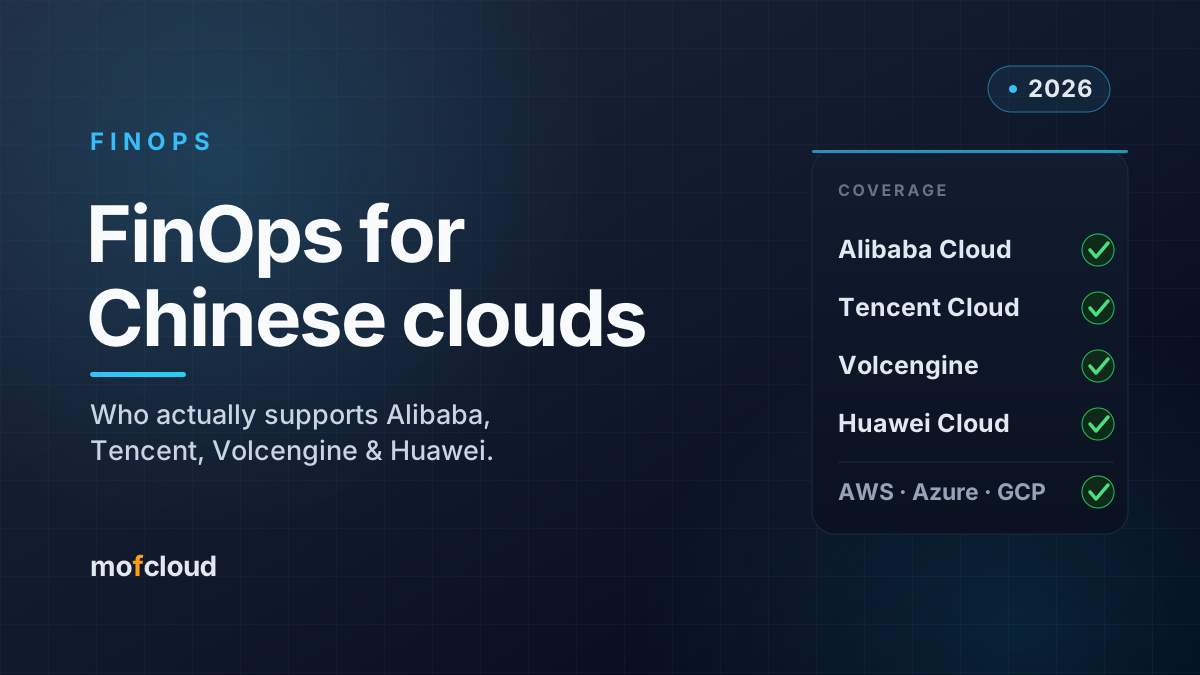
Is your cloud bill safe with a FinOps tool? Access, data residency and AI
What a cloud bill reveals, how much access a cost tool really needs on AWS, Azure, Google Cloud, Alibaba, Tencent and Huawei, where your billing data ends up, China's cross-border rules, and what happens when AI reads your bill.
 MofCloud
Nov 18, 2026 · 8 min read
A cloud bill is a map of your company: every account, every resource, the team and project names in your tags, and on some clouds even IP addresses. Before you connect a FinOps tool, three questions matter more than any feature list: how much access the tool gets, where the billing data is stored afterwards, and where it goes when an AI reads it.
This guide covers what a bill actually reveals, the least access a cost tool needs on each of seven clouds, the three ways FinOps tools handle your data, what China’s cross-border rules mean for billing data, and how to use AI on your bill without losing control of it.
What does a cloud bill reveal?
Billing data looks like numbers, but the line items carry a lot of context. On AWS’s Cost and Usage Report (CUR 2.0), for example:
- Resource IDs and ARNs (
line_item_resource_id): instance IDs, database names, and for S3, bucket names and prefix paths. - Account IDs and names, including the payer account’s name.
- Tags (
resource_tags): whatever you put in them, which in practice means team, project, owner and sometimes customer names. - Who used what: opt-in fields such as the IAM principal behind Amazon Bedrock calls, and IAM Identity Center user IDs.
- Locations and patterns: regions, data-transfer source and destination, and hourly usage that shows when your systems are busy.
Chinese clouds can go further. Alibaba Cloud’s instance bill API returns the instance’s nickname, its tags, and its public and private IP addresses.
None of this is a password, but together it describes your architecture, your org chart and your customers. That’s why the questions below are worth asking.
In one line: treat billing data like architecture documentation, not like an invoice.
How much access does a cost tool really need?
To read your costs, a tool needs read access to billing data, nothing more. Some tools also ask for wider read access to show utilization or power AI features. Here is the narrow version for each cloud:
| Cloud | Least access to read billing data |
|---|---|
| AWS | s3:ListBucket and s3:GetObject on the Data Exports bucket and prefix (plus kms:Decrypt if it’s KMS-encrypted), and read-only bcm-data-exports:List*/Get* |
| Azure | Cost Management Reader at the scope you want to analyze, or Billing Reader on the billing account |
| Google Cloud | Billing Account Viewer, plus BigQuery Data Viewer on the billing export dataset and Job User to run queries |
| Alibaba Cloud | AliyunBSSReadOnlyAccess, or a custom policy with only the bssapi bill APIs you need |
| Tencent Cloud | QcloudFinanceBillReadOnlyAccess |
| Huawei Cloud | BSS ReadonlyAccess |
Two things to watch for:
- AWS’s
ReadOnlyAccessis not “read-only billing”. It can read the contents of your S3 objects and much more. Use a policy scoped to the billing export instead. At least one major FinOps vendor’s own documentation warns against it for this reason. - “Read-only” can still be broad. Some tools ask for
Describe*andList*across many services, CloudWatch metrics, CloudTrail events, or the ability to query CloudWatch Logs, often for rightsizing or AI agents. Read access to logs means read access to whatever your applications write there. Grant those extras only if you’ll use the feature, and in a separate role you can remove.
Our provider setup guides walk through read-only access for each cloud.
Where does your billing data end up?
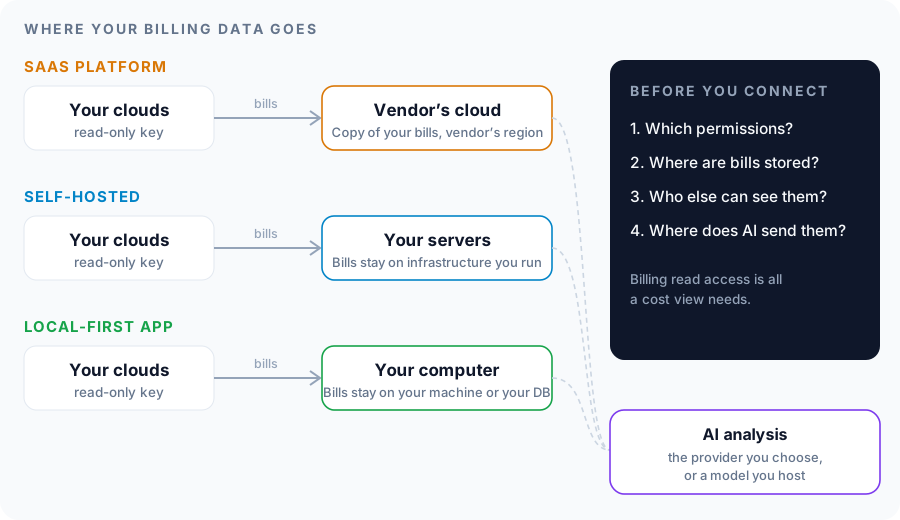
There are three models, and the difference is who holds a copy of your bills.
| SaaS FinOps platform | Self-hosted platform | Local-first app | |
|---|---|---|---|
| How it connects | A cross-account role or key the vendor uses from its cloud | Keys you store on your own servers | Keys you store on your own computer |
| Where the bills are kept | The vendor’s cloud, often in the US; some offer EU or APAC instances | Your servers | Your computer, or a database you run for a team |
| Who can see them | Your team, plus the vendor and its subprocessors | Your team | You, or your team through your own database |
| Upkeep | None | You run and patch it | Install an app |
| Typical for | Teams that want zero operations and accept a vendor holding the data | Regulated companies and those with a platform team | Teams that want control without running a platform |
| Examples | Most commercial FinOps platforms | OpenCost, Kubecost self-hosted, OptScale, Mof | Mofis |
None of these is wrong. SaaS vendors publish SOC 2 reports and subprocessor lists, and for many companies that’s enough. But if your contracts, your regulator or your security team say billing data stays in-house, the choice is already made: self-hosted or local.
Does China’s cross-border data law apply to billing data?
Sometimes, and less often than people fear. This is not legal advice, but the facts are these:
- China’s Personal Information Protection Law (PIPL) requires a security assessment, a standard contract or a certification before personal information leaves China.
- The 2024 rules on cross-border data flows exempt data that contains no personal information and no “important data,” and exempt non-sensitive personal information of fewer than 100,000 people a year.
- Data only counts as “important data” once the authorities have identified or published it as such.
Most billing data is machine and commercial data. Personal information gets in through account and user names, IAM principals, and tags that hold people’s names or emails, usually a handful of employees. So most companies fall well inside the exemptions. The real exposure is narrower: tags or resource names that contain customer or end-user identifiers, and internal policies at state-owned, financial or government-facing companies that keep operational data in China regardless of the law.
If you run Chinese cloud accounts and use an overseas SaaS tool, check what’s in your tags before you connect it.
What happens when AI reads your bill?
AI is the newest way billing data leaves your hands. To answer “why did costs go up last month?”, an AI agent has to see the relevant line items. Ask any tool four things:
- Which model provider receives the data, and is it the vendor’s account or yours?
- Is the data used for training? Most API providers don’t train on API traffic by default; consumer chat apps may.
- How much is sent? A well-designed agent sends only what the question needs, for one account and one period, not your whole history.
- Can you use your own model? An OpenAI-compatible endpoint you host (for example with vLLM) keeps the whole loop inside your network.
The safest setup is the one where you choose the provider, the scope is narrow, and you can switch AI off entirely and still have a working cost tool.
How Mofis and Mof handle your data
We build Mofis, a desktop app, and Mof, which you deploy yourself. Both are local-first by design, so here is exactly what goes where:
- Your bills stay with you. Mofis runs its cost engine on your computer; a team can share data through its own PostgreSQL. Mof runs on your servers.
- Credentials stay with you. Cloud keys live in the engine on your machine or your servers. Mofis keeps AI keys and sign-in tokens encrypted with your operating system’s secure storage. Mof encrypts cloud credentials and other secrets at rest with AES-256-GCM, under a key your admin can set.
- Read-only keys. Connecting a cloud account for cost analysis needs read access only. Our setup guides show the exact permissions for each provider.
- What MofCloud sees. Your account email, name, organization and subscription, needed to sign in and license the app. Not your bills, keys or cost data. Our privacy policy lists every service involved.
- AI goes where you send it. Mofis uses the Claude Code or Codex on your computer, your own API key, or an OpenAI-compatible endpoint you host. Requests go from your computer to that provider, never through us, and you can scope a question to one account and one period, or not use AI at all.
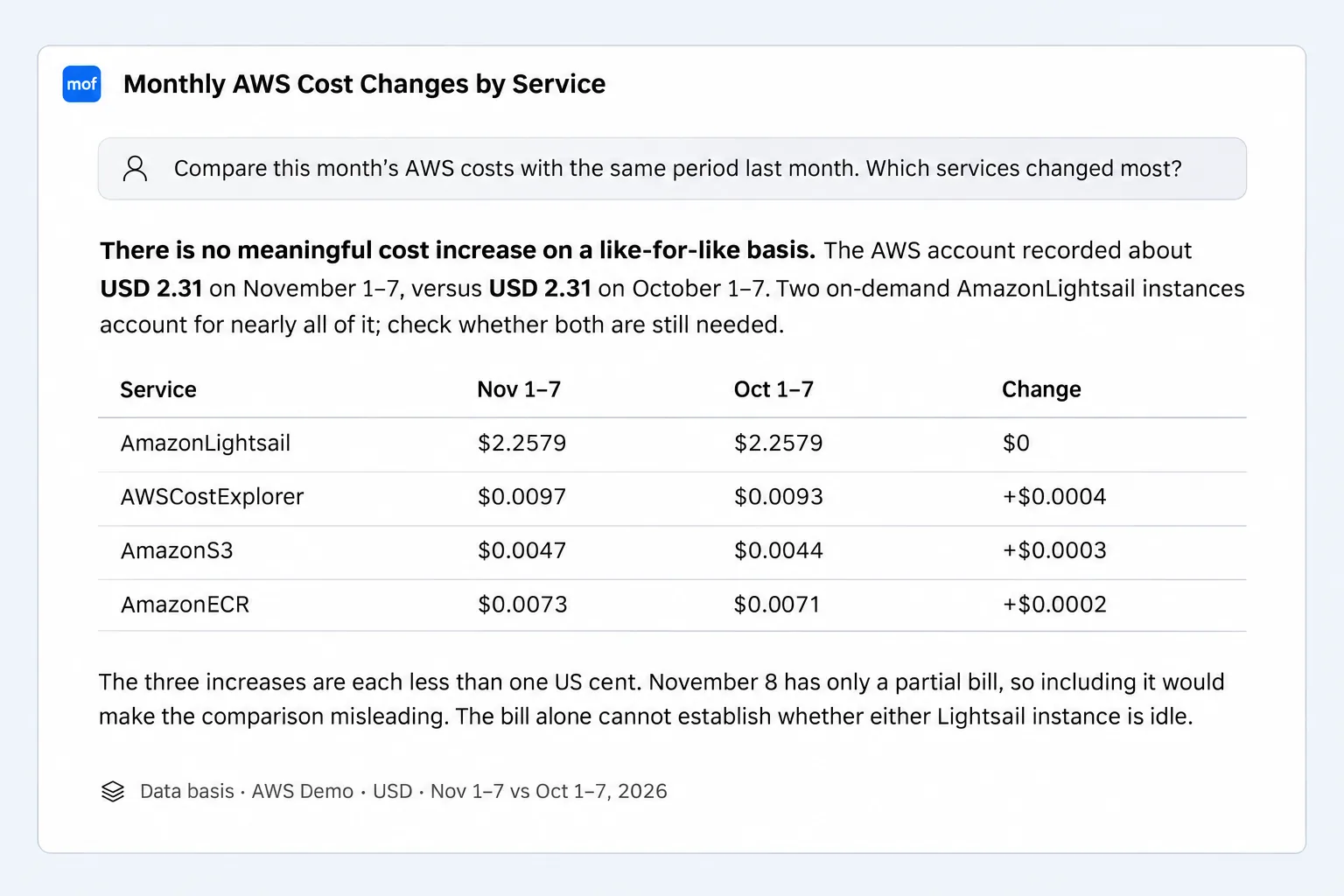
A Mofis AI answer states the data it’s based on: here, one AWS account, in USD, for two seven-day windows.
The trade-off is honest: with a local-first tool, your laptop or your database becomes the place to protect. Turn on disk encryption, keep the app updated, and treat the team database like any other system with production data.
A checklist before you connect a FinOps tool
- Read the IAM policy the tool asks for. Billing read access is all a cost view needs.
- Refuse
ReadOnlyAccessand other broad policies unless you need the feature, and put extras in a separate role. - Ask where the data is stored, for how long, and who the subprocessors are.
- Check your tags and resource names for customer or personal identifiers.
- For AI features, ask which model provider gets the data, whether it trains on it, and whether you can bring your own model.
- Plan the exit: how you revoke access and get your data deleted.
FAQ
Is it safe to give a FinOps tool access to my AWS account?
It can be, if the access is limited to reading your billing export. Avoid broad policies such as ReadOnlyAccess, use an external ID for cross-account roles, and review what the tool reads beyond billing.
What permissions does a cloud cost tool need?
Read access to billing data: the billing export bucket on AWS, Cost Management Reader on Azure, Billing Account Viewer and the export dataset on Google Cloud, and the read-only billing policies on Alibaba (AliyunBSSReadOnlyAccess), Tencent (QcloudFinanceBillReadOnlyAccess) and Huawei (BSS ReadonlyAccess).
Is there a self-hosted FinOps tool?
Yes. OpenCost and Kubecost cover Kubernetes, OptScale is an open-source platform, Mof is a self-hosted multi-cloud cost platform, and Mofis is a desktop app that keeps data on your computer.
Does cloud billing data count as personal information under PIPL?
Mostly not. It’s machine and commercial data, with personal information only where names or emails appear in accounts, users or tags. Most companies fall within the 2024 exemptions, but check your tags and your industry’s rules.
Does AI cost analysis send my bill to the AI provider?
The part the question needs is sent to whichever model answers it. Choose a provider that doesn’t train on API data, keep questions scoped, or use a model you host yourself.
Want your cloud costs in one view without handing your bills to anyone? Mofis runs on your computer, free for one person, with a 14-day Pro trial and no card required.